Funiter screenshots:
Here you will find some screenshots of Funiter (version 2.2 and higher). For these images, I used a slightly different colorpalette than the default one. For some images you can download the corresponding parameter-file.
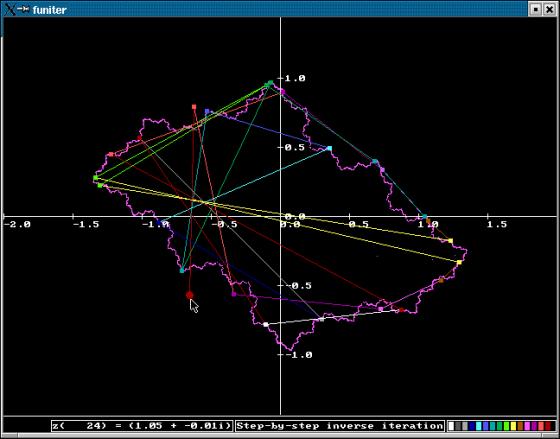
This is "Graph" - "Step-by-step iteration" -"Point", though it is reached by first calculating the Julia-set and a jump from the "Central-menu" to "Step-by-step inverse iteration" to "Point" to "Color depends on iter. steps". In this case the Julia-set remains on screen while selecting a point and start iteration. The circle indicates the startingpoint. When the mouse is moved, another point is selected.
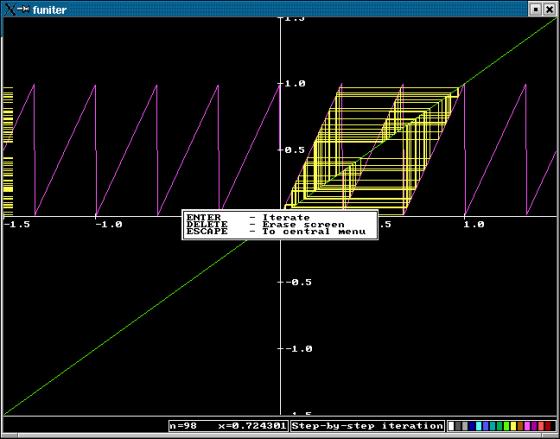
This is "Graph" - "Step-by-step iteration" -"Webdiagram" for the function "x -> frac(cx)". From the left to the right you see the current iteration-step, the current value for x, graph and the colorpalette.

parameter-file for this image.
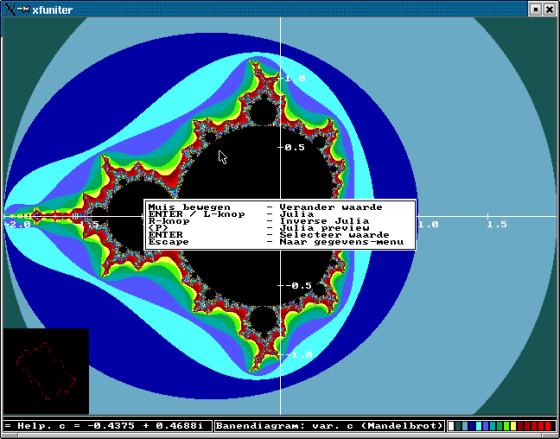
Selecting a value for c on the Mandelbrot-set (Backspace in central-menu). The help-screen (key F1) shows the options for that mode.

